AI Question Builder in Watu PRO

We try very carefully to not push unwanted AI features at you – not because we don’t love AI, not at all. We always wanted to keep the plugin lean and build only stuff that’s really cool.

And here’s an AI feature that’s really cool. And can save you a lot time:

AI Questions Builder

This new tool is included in the Intelligence module. It allows you to automatically generate questions from document that you have.

First, set up your favorite AI model. You can use any OpenAI compatible API like OpenAI itself, OpenRouter, etc:
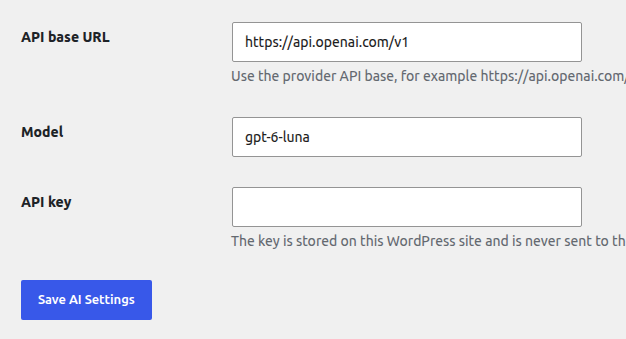
You usually don’t need the best frontier AI model for this – the low cost options like GPT Luna, Gemini Flash, Claude Haiku, DeepSeek Flash, GLM Flash etc are good enough for this task.

Then for every new or existing quiz you will see the “AI Question Builder” link on top of the Manage Questions page.

The interface is failry self-explanatory: you can paste text or upload a document, provide additional guidance (for example, “create questions in Spanish”), select the number and type of questions to be created:
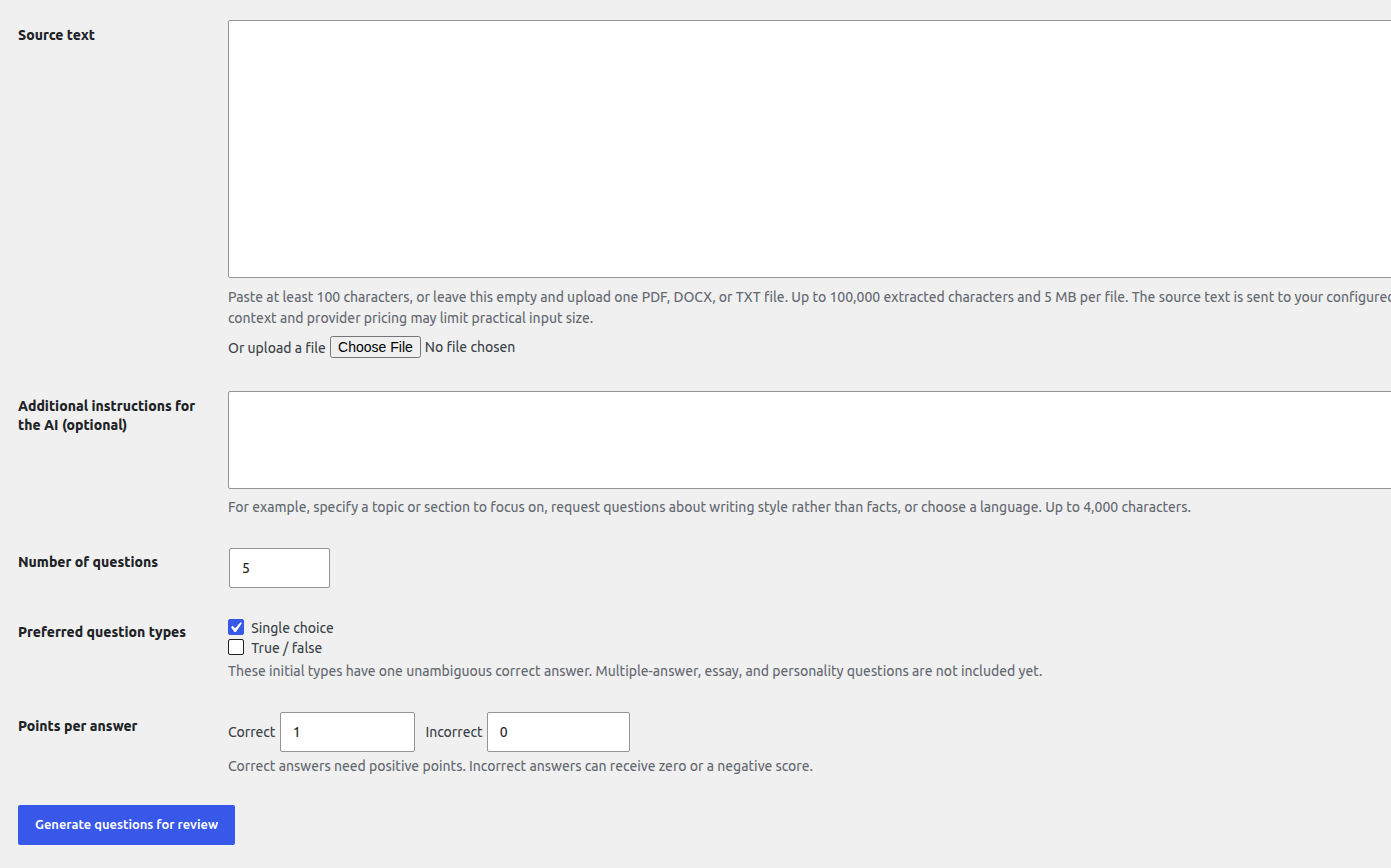
We recommend to not create hundreds of questions at once, and not upload whole books – this may exceed the chosen AI model context.

If you have any feedback, let us know at info@calendarscripts.info!

 

Watu PRO 6.8

Watu PRO 6.8 is out with a lot of improvement and fixes:

  • Accept audio input for open-end questions.
  • Added a bridge to Brevo / SendInBlue: https://blog.calendarscripts.info/watupro-bridge-to-brevo-sendinblue/
  • Added option to mass add or remove a tag to questions
  • Added a new filter watupro_email_vars that allows you to parse your own variables in the email contents.
  • Added a filter for active/inactive quizzes in the admin Quizzes page.
  • A new “Fallback grade” option allows you to fallback to any quiz grade/result when the user results don’t match any of the existing grades.
  • Added option to hide the text field or text area on open-end questions when they accept file uploads.
  • Multiple-choice questions (checkboxes) can now require a minimum number of answers to be selected. Otherwise the question will be considered unanswered.
  • Added the number of available quizzes in a category and a link to manage them on the Quiz Categories page.
  • Added variable %%UNRESOLVED-MARKS%% that works similar to %%UNRESOLVED%% but includes the checkmarks and feedback.
  • Added variable %%TOTAL-ENTRIES%% showing the total number of users who submitted this quiz. Multiple entries of the same user are counted as individual entries.
  • Updated action hooks
  • On the grading page question subcategories are ordered under their parents.
  • You can now import entries / quiz results. Learn more at https://blog.calendarscripts.info/importing-results-entries-in-watu-pro/
  • Added option to mass-assign users to a WatuPro group by uploading a CSV file.
  • Added option to use the default final screen and email output on existing quizzes.
  • Added variables {{{pointsof-X}}} and the shrotcode to allow displaying the points collected on a quiz.
  • Sortable columns on the Manage Certificates page
  • Added more developer hooks
  • [Intelligence module] In “user choice” quizzes the selector for random questions per category will provide drop-downs. The categories and subcategories are also ordered in a better way
  • Small adjustments made to the quiz results export (we are preparing to handle imports!)
  • Proper handling of HTML special characters when importing Aiken format files.
  • Added filter allowing to rewrite the certificate name based on the specific quiz entry: $file_name = apply_filters(‘watupro_certificate_file_name’, $file_name, $certificate_id, $taking_id);
  • Added variable %%UNANSWERED%% to display the questions that were not answered. The correct answers and the optional feedback are revealed.
  • You can now inject custom data in WatuPRO.custom_data JS object using the hook watupro_show_exam_js. This custom data will be sent when the quiz is submitted and can be used with the watupro_completed_exam hook.
  • Fixed edge case bug with marking questions as correct when “calculate as a whole” is selected.
  • Improved DB indexing.
  • Added filter watupro_override_shortcode to allow overriding the Watu Pro shortcode with a custom one (for example, to display a pre-quiz form, etc).
  • The export method for exporting results now allows returning the CSV contents if you set $_GET[‘return_csv’] to 1.
  • [Reporting module] Added the parameter “period” to the shortode watupror-qcat-total. The parameter can be used to limit the result to a given time period. Possible values: this week, last week, this month, last month, this year, last year.
  • Fixed bug with attaching certificates to email
  • Fixed bug: the Manage Grades page did not recognize the question categories if only subcategories were used in the questions.
  • Fixed PHP 8 error when a multi-quiz certificate based on one quiz is assigned
  • Fixed bug when refreshing the quiz result in “no ajax” mode, “store only the first attempt of a logged in user”
  • Fixed bug in saving questions that were saved as “compact format” but then the setting is unchecked.
  • Fixed issues with sending certificates as attachments when “obfuscate URLs” was selected. 
  • Fixed issue with editing copied quizzes on some installations.
  • Fixed wrong columns order in “My quizzes” page -> toggle previous attempts.
  • Fixed bug when deleting an answer in the middle of the list of answers
  • Fixed edge-case bug with storing the serialized questions when “mark review” is used
  • Fixed bug with the “time spent” variable when the Save button is used
  • [Intelligence module] We support a non-randomized method to mark the correct answer. Simply type [CORRECTANSWER] right before the answer in the gaps syntax. This also allows you to have more than one correct answer in the dropdown.
  • [Intelligence module] Fixed issues with sending certificates as attachment when editing user results.
  • Fixed issue in question hints and in-progress attempts: the “Get hints” link should not be displayed if all hints for a given question are already shown.
  • Fixed a JS error when saving a question.
  • Fixed edge-case issues with coupon codes.
  • Fixed bug with storing user progress.
  • Fixed bug with the watupro-result shortcode when percent_points mode is used.
  • Fixed bug in the pagination of %%ANSWERS-TABLE%%.
  • Fixed a wrong message about a timed quiz in the “Ask user for contact details” section.
  • Fixed bug: when copying a quiz the optional question title was not copied.
  • Fixed bug: when confirming that you want to continue with marked for review questions, the system was bypassing required questions.
  • Fixed PHP 8.2 compatibility error
  • Fixed error in social sharing
  • Fixed bug in the Reuse questions feature

As always, if you are eligible for a free upgrade, you’ll see the update in your dashboard. Customers with expired upgrades subscription can renew by using a 50% discount code.

Audio Input For Watu PRO Open-End Questions

From version 6.7.9 Watu PRO supports capturing users microphone to record their voice answer on open-end questions.

To enable the feature, simply select the checkbox:

checkbox to accept audio input

We call the feature experimental because it needs to be battle tested on all kind of mobile devices, however so far all our tests went great!

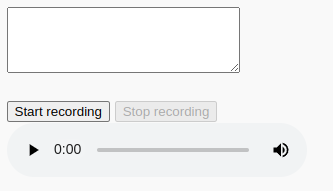
Once enabled, the quiz taker will see a microphone button along with the text box for answering the question:

button to record audio

When they stop recording, the player shows up below the button.

The user can re-record their voice many times – only the last attempt will be stored.

When the quiz is completed, the same audio player is shown in the final screen and in your admin’s “View results” page so you can listen to their answers.

If a question that accepts audio is marked as required, recording the audio or writing in the box will mark the question answered.

We don’t yet have an option to hide the box and use only audio, but this is coming shortly.