
WatuPRO has a handy “true/false” question type. Essentially this is just a “single choice” question with pre-defined options – true and false.
If you want to change the words “True” and “False” to something else or to another language you need to use Loco Translate just like you would do when translating the plugin interface.
However this will not change the words of questions already created. For these questions the words True and False are inserted in the database as choices on a single choice question.
To change them you need to install the free SQL executioner plugin. Then you’ll need to run two queries in it. Let’s for example assume you want to change True to the French Oui and False to No. The queries will be (obviously you have to replace “Oui” and “No” with the words you want to use!):
UPDATE $watupro_answer SET answer='Oui' WHERE answer='True' AND question_id IN (SELECT ID FROM $watupro_question WHERE truefalse=1)
Paste the above query and hit “Execute”.
UPDATE $watupro_answer SET answer='No' WHERE answer='False' AND question_id IN (SELECT ID FROM $watupro_question WHERE truefalse=1)
Paste the above query and hit “Execute”.
That’s it.
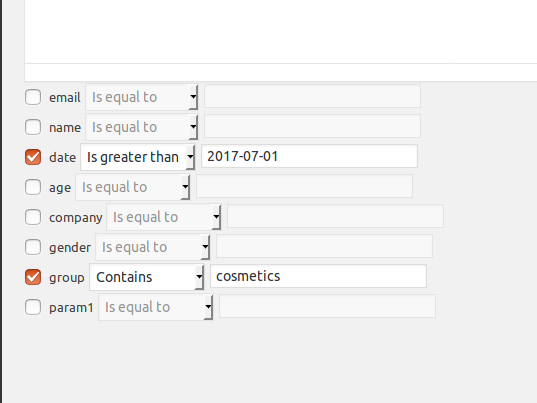 To set a requirement for a given field, you need to check the checkbox next to it. ALL the requirements that you set will be applied to the segment.
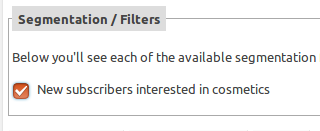 If there are multiple segments you can choose more than one. In this case the subscriber must satisfy ALL the segmentation rules in ALL selected segments to have the email sent to them.So if we use the above example, selecting this segment means that the email will be sent to subscribers registered after July 1, 2017 AND selected “cosmetics” in the “group” field (which is a custom drop-down field in our case).