Free Certificate Templates for WatuPRO

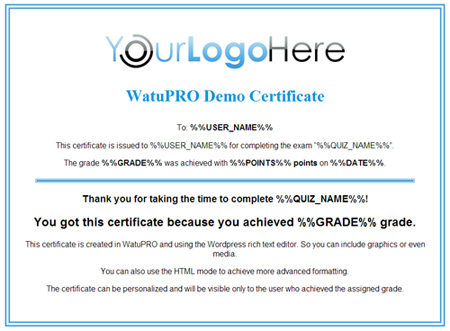
We have created 3 free certificate templates for WatuPRO. You can use them as base to design your own good-looking certificates. Feel free to download any or all of them. Each certificate contains the necessary HTML code and graphics. So if you want to use them, you need to do this:

1. Download the certificate template
2. Unzip it
3. Upload the pictures you want to use to your blog gallery
4. Open index.html in a text editor like Notepad or Notepad++. Copy all the contents to the clipboiard and place it in the certificate editor inside your blog, in Text mode
5. Replace the paths to images with the correct paths to the images uploaded in your gallery
6. Feel free to edit the text and the design further of course.

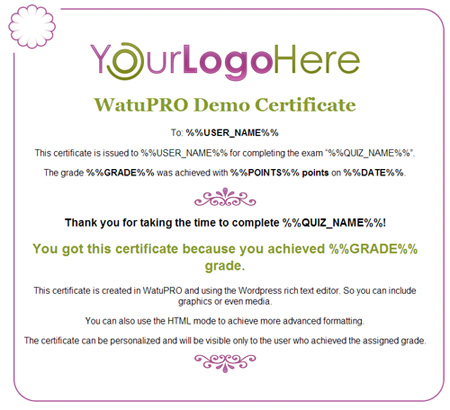
Certificate Template 1
sert1

Download here

Certificate Template 2

sert2

Download here

Certificate Template 3

sert3

This one is a bit more complicated so it has two versions – one for HTML based certificates and one for PDF based ones. Download depending on whether your certificates are PDF based or not.

HTML-friendly download | PDF-Friendly download

Instructions for PDF Designs

Because the PDF designs contain .svg files you will not be able to upload them through the media uploader. You’ll need to use FTP. The easiest way to do it is to upload all the image files in your home folder (the same one where your WordPress index.php file is).

If you don’t want to put these in your main folder and prefer to keep the things more organized you can upload them to any other folder. The folder should be accessible from the browser and you will need to change the path of the images in the HTML code of the certificate with full paths (with http) of these images on your server.

Note that the images should stay on the same domain where your WP installation is. You can’t keep the images on another server or somewhere in the cloud – the PDF generator may not be able to access them.

PHP Autoresponder Basic and PRO Upgrade

There has been a new release to the PHP autoresponder app.
(Please note this is not the WordPress plugin “Broadfast for WordPress”. That one will be upgraded soon)

Besides some bug fixes there are two most important changes:

1. You can now control the contents of subscribe/unsubscribe notification emails (both Basic and PRO)
2. There are much better link tracking stats for trackable links (Pro only)

Upgrading is free for customers who bought less than one year ago, and costs 40% of the full price for customers who bought before that.

Conditionally Load Scripts and CSS in WordPress Plugins That Use Shortcodes

The official way of loading javascript and CSS files in WordPress is by loading your scripts on wp_enqueue_scripts hook. The problem with this approach is that every single plugin you use will be adding its own scripts and CSS even if its used just once in a single post or page. This approach can quickly overload your blog with CSS files and scripts which you don’t use on most pages.

This is especially true for plugins that use shortcodes.

There is an easy way to solve this!

Due to the holes in the official WordPress documentation most developers are not using it.
Others has to develop smart but no longer necessary hacks like this here. The problem with the proposed solution on that page are at least three:

  • Unnecessary complexity in the code
  • Consuming extra server cycles
  • It will sometimes load your scripts when you don’t need them. For example in my theme the solution was still loading the scripts everywhere because of the loop of “Recent posts” in the sidebar.

So, this is far from perfect. Here is the simplest solution:

Call wp_enqueue_script inside the shortcode functions

It’s really that simple and we are starting to use this approach in our WatuPRO. WordPress handles  this from version 3.3 so you need to use the old “load everywhere” solution for older versions.

Here is a code example of this technique from WatuPRO:

[sourcecode language=’php’]
// this is in our init function. If version is 3.3 or lower we just use the official way
$version = get_bloginfo(“version”);
if($version <= 3.3) add_action("wp_enqueue_scripts", "watupro_vc_scripts"); // then in our shortcode handlers we simply call watupro_vc_scripts directly: function watupro_shortcode($attr) { watupro_vc_scripts(); // ..... } [/sourcecode] Inside watupro_vs_scripts() there are all the wp_register_script and wp_enqueue_script calls. This seems to work fine on all versions. If you have any comments, please let me know.