The new version of WatuPRO, the best WordPress Quiz plugin, is now ready. The version is 4.4, and the improvements from 4.3 to 4.4 are listed below:
- New pagination option – show custom number of questions per page
- Option to randomize categories when questions are grouped by category
- You can now create default grades which can be reused from or copied into every quiz
- A new question type – True / False is available as sub-type of “Single choice” questions
- First name and last name (when available) are added to the export of the results
- Logged in users can switch-off the automated emails for completed quizzes
- The email that is sent to user when quiz is completed can now be restricted based on the achieved grade. So you can select grades that will initiate the email and grades that will not.
- Pagination of 50 questions per page is added in the “Manage questions” admin page
- New option lets you blank out some of the fields from the quiz results to save DB space, without losing reports and points-related data.
- A free WatuPRO Simple Designer add-on is available for changing the quiz UI. More info here.
- “My Quizzes” page will show also previous attempts on the same quiz
- Now advanced users can create their own version of any of the program layout pages (the “views”) and can customize them. (See the Help page inside your WatuPRO menu)
- New option lets you deactivate a quiz. This makes it inaccessible and removes it from “My quizzes” page and the shortcodes that return list of quizzes.
- Match / Matrix question type (Intelligence module)
- Advanced setting option lets you not load logged in user progress when they come back to unfinished paginated quiz (Intelligence module)
- Two performance improvements have been made: quizzes paginated “one question per page” will no longer save user data on the fly (but you can enable it with a checkbox, and it will be auto-enabled for your old quizzes to avoid forcing you do manuall work). The second performance tuning requires the advanced settings page (Intelligence module) and lets you switch off storing question text along with user answers in the database
- %%USER-NAME%% variable can be used to display user’s name on the FInal screen / email content. The variable uses the value entered in {{{name-field}}}. If empty, displays the logged in user name. If empty, displays “Guest”.
- Two new variables available for the Final Screen – %%AVG-POINTS%% and %%AVG-PERCENT%% showing respectively the average points and % correct answers achieved by other quiz takers.
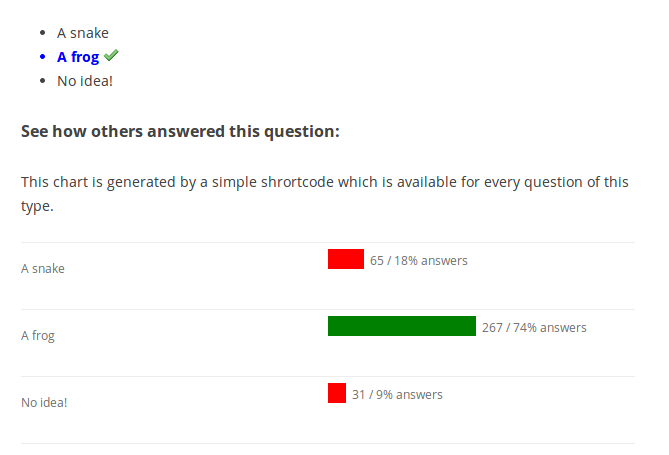
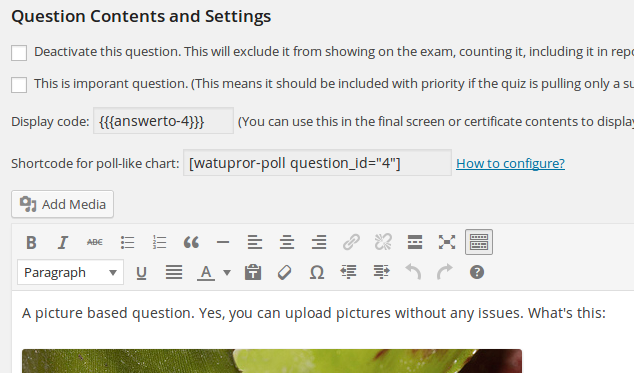
- Shortcodes for poll-like charts let you publish how all user’s answers are distributed in a question. More info: https://blog.calendarscripts.info/using-watupro-for-polls-new-shortcodes-from-reporting-module/ (Reporting module)
- Fixed problem with showing the same certificate earned multiple times on different quizzes
- Fixed problems with using multiple “chart by grade” shortcodes on a page
- Fixed bug that was showing the categories of hidden questions on the final screen, when the quiz is paginated one question per page.
- Fixed bug with personality quiz questions – these should not display correct/incorrect checkmarks
The free upgrade has been sent to eligible customers. If your free upgrades package has expired, you will receive a promo code to renew with 60% discount. Or feel free to contact us for the code. Renewal is optional – you can keep using the latest version you have as long as you need it.